Changelogs
Stay up to date with the latest changes and enhancements.
Stay up to date with the latest changes and enhancements.

Stay up to date with the latest changes and enhancements.
30. Sep 2026
Share
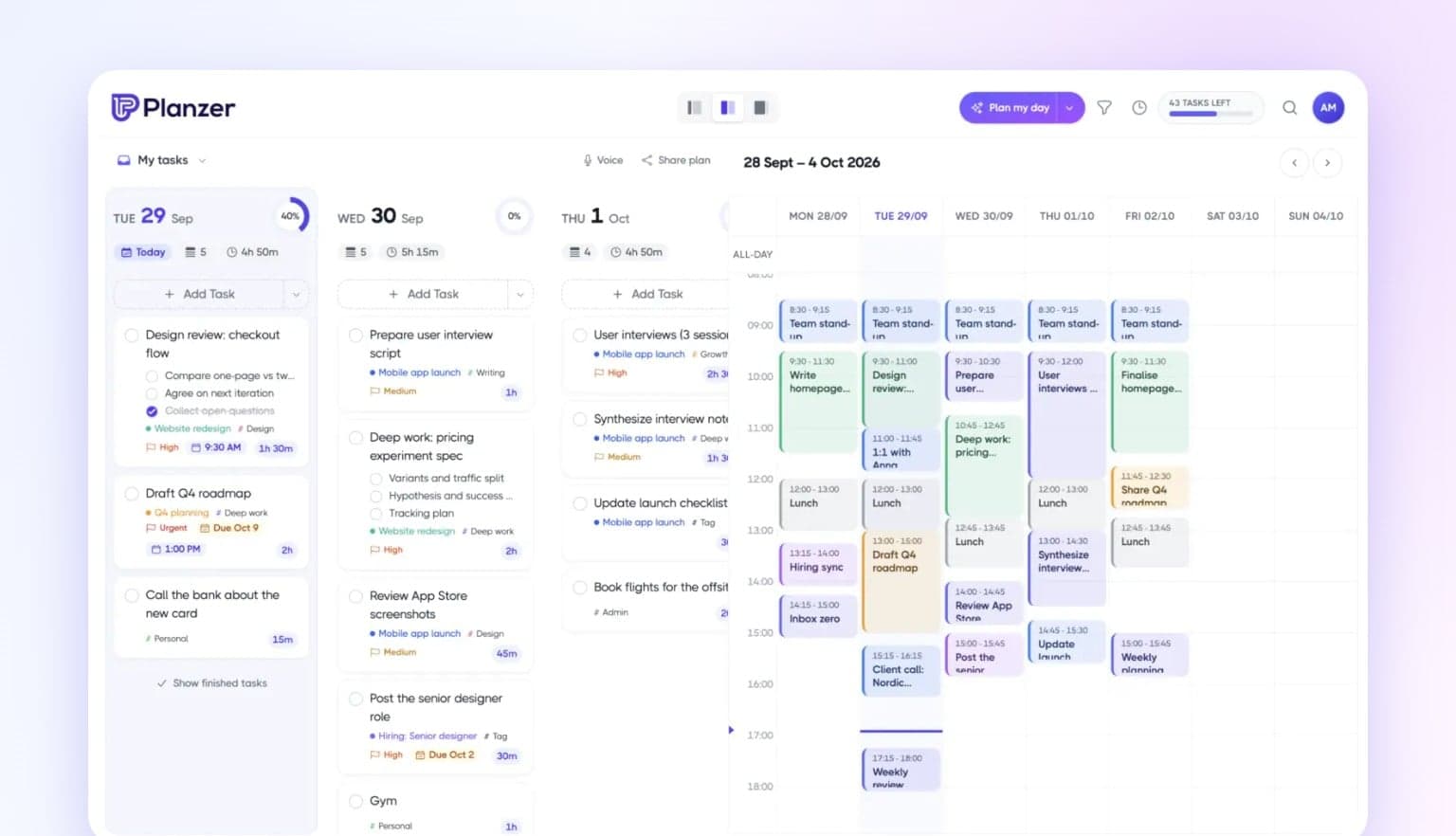
Two big updates in one: Apple iCloud Calendar and a brand-new calendar, a day that tells you when you’ll be done, and live sync that keeps every device in step — even offline.
Apple iCloud Calendar. Connect iCloud with an app-specific password, see your events in Planzer, and plan tasks straight onto your iCloud calendars.
A brand-new calendar. Smoother drag and drop, resizable events, a live “now” line, and swipe between days on your phone.
Drag any task onto the calendar. Grab the whole card — no drag handle needed.
Estimates follow your calendar. Stretch or shrink a task on the calendar and its estimate updates. Prefer not? Turn it off in Calendar settings.
Know when you’ll be done. Today’s tasks show when each one starts and ends as you work down the list, plus a finish time that turns amber if you’ll run past your shutdown time. Meetings are worked around.
Overtime. The focus timer keeps counting past 00:00, and task timers show how far you’ve gone past the estimate.
Sounds. Timer alarms, a gentle chime every 5 to 30 minutes, and background sound: brown noise, rain or waves. All optional, in your account settings under Sounds.
Routines. Save a set of tasks, like your morning routine, and add it to any day in one click from the Add Task menu. You can even save today’s tasks as a routine.
Live sync. Finish a task on the web and it’s done on your phone and desktop within a second — no restart needed. Goals, routines, templates, saved filters and settings sync too.
Your calendar, instantly. Changes in Google Calendar or Outlook show up in Planzer within seconds; iCloud within a couple of minutes.
Work offline. No connection? Keep planning. Changes are saved on your device and sync when you’re back online.
No more lost edits. Change the same task on two devices and nothing is silently overwritten — you choose which version to keep.
A faster inbox. Older finished tasks load when you ask for them, so your inbox opens quickly.
Cleaner, consistent menus. Snooze options show the date they move the task to.
“Move to inbox” puts the task at the top of your inbox.
“Remind me later” on Plan my day waits 3 hours before asking again.
Missed occurrences of a repeating task no longer pile up on today, and Plan my day only carries over one-off tasks.
Day columns line up evenly, and today’s start and finish times update exactly on the minute.
In the desktop app, links open in your default browser.
A lighter app, and stronger sign-in and account data protection.
“Today” moves to the new day at midnight, even if Planzer stays open.
Reordering tasks puts them exactly where you drop them, and “Hide finished tasks” works again.
Tasks from Asana and other integrations no longer show up twice, and repeating tasks no longer appear several times on the same day.
Calendar events no longer appear twice after moving between weeks, and on phones the calendar opens at the current time.
Changes from another device show without restarting the app, and a brief server problem can no longer make your tasks disappear.
Analytics loads again, weeks follow your time zone, and completion stats are accurate.
Deadlines and planned times show correctly in every time zone, and tasks from a template keep their tag.
Dropdowns in the task window are no longer cut off, the account menu closes when you pick a page, and “Create your first tag” works.
Signing up with Outlook using an existing email signs you in, and password reset links expire at the right time.